Build a RAG System with LlamaIndex and Qdrant in Docker
What you’ll build
Retrieval-Augmented Generation combines a vector database with a language model to answer questions grounded in private documents. The stack described here pairs Qdrant for similarity search, LlamaIndex for orchestration, and Docker Compose for portability. About ten files assembled from scratch produce a multi-collection pipeline capable of ingesting PDFs, Markdown, and plain text before returning cited answers.
Standard large language models cannot access private data, and their knowledge cuts off at a fixed date. A RAG system solves both problems by converting your documents into numerical vectors (embeddings) and storing them in a vector database. When you ask a question, the system embeds the question, retrieves the most similar document chunks, and hands those chunks to the LLM as context for a grounded answer.
The architectural flow follows this path:
User → query.py → LlamaIndex → Qdrant → LlamaIndex → LLM → Answer
By the end of this tutorial you will have a working stack on your local machine: a Qdrant vector database for persistent storage, Python scripts powered by LlamaIndex for ingestion and querying, and a multi-collection setup that keeps different document sets cleanly separated. The post shows every file in full — copy each block, run the verify command, then move to the next step.
Before you start
Successful completion of this tutorial requires Docker version 24.0 or higher, Docker Compose version 2.20 or higher, Python 3.12, and Git 2.40. Approximately 2 GB of free RAM and 2 GB of disk space ensure stable container execution. Linux and macOS are the supported host platforms; Windows users must work inside a WSL2 instance.
Verify each tool before continuing:
- Docker >= 24.0:
docker --version— install at docs.docker.com/get-docker - Docker Compose >= 2.20:
docker compose version— install at docs.docker.com/compose/install - Python 3.12:
python3 --version— install at python.org/downloads - Git >= 2.40:
git --version
One AI provider is also required. Obtain an OpenAI API key from platform.openai.com for the cloud path. Install Ollama locally and pull bge-m3 and llama3.2:3b for the free, private alternative. Only one provider needs to be active at a time — the scripts detect which environment variables are set and configure themselves accordingly.
Pick your embeddings provider
Choosing an embedding provider fixes the vector dimensions of every Qdrant collection created by the ingest script. OpenAI text-embedding-3-large produces 3072-dimensional vectors at a per-token price. Ollama bge-m3 produces 1024-dimensional vectors with no API cost and no data leaving the local machine.
| Feature | OpenAI text-embedding-3-large | Ollama bge-m3 |
|---|---|---|
| Dimensions | 3072 | 1024 |
| Cost | Paid (per token) | Free (local compute) |
| Privacy | Cloud-based | 100% local |
| Internet required | Yes | No |
| RAM footprint | ~0 local RAM | ~600 MB local RAM |
OpenAI is the fastest first run — no model download needed. Ollama is the right choice when documents must not leave the machine.
Switching providers after the first ingest is a destructive operation. Qdrant pins vector dimensions at collection creation time. Moving from Ollama (1024 dims) to OpenAI (3072 dims) requires deleting qdrant-data/ and re-ingesting all documents from scratch. Decide before running the ingest step.
Step 1 — Create the project folder
Organization of source code and configuration follows a three-directory layout that mirrors the Docker volume mounts used in later steps. A docker directory holds the Compose file and image definition. A scripts directory holds the Python logic. A documents directory acts as the drop zone for files to be indexed.
Open a terminal and run:
mkdir my-rag && cd my-rag
mkdir -p docker scripts documents
The resulting layout before any files are added:
my-rag/
├── docker/          ← Dockerfile, docker-compose.yml, requirements.txt
├── scripts/         ← ingest.py, query.py
├── documents/       ← your source files, one subfolder per collection
├── collections.yaml ← collection definitions
└── .env             ← credentials and URLs
Each step below creates one or two files. The qdrant-data/ directory will appear automatically the first time Qdrant starts — Docker creates it via the bind mount.
Verify: ls returns docker scripts documents
Step 2 — Write the Docker Compose stack
Configuration of the container network uses a Compose file that defines two services: a long-running Qdrant database and an on-demand ingest container. The Qdrant healthcheck uses a bash TCP probe because the official image does not ship curl. The ingest service is gated behind a manual profile so it never starts automatically with docker compose up.
Create docker/docker-compose.yml with the following content:
services:
  qdrant:
    image: qdrant/qdrant:v1.13.4
    container_name: rag-qdrant
    ports:
      - "127.0.0.1:6333:6333"
    volumes:
      - ../qdrant-data:/qdrant/storage
    healthcheck:
      test: ["CMD-SHELL", "bash -c ':> /dev/tcp/127.0.0.1/6333' || exit 1"]
      interval: 5s
      timeout: 3s
      retries: 5
    restart: unless-stopped

  ingest:
    build:
      context: .
      dockerfile: Dockerfile
    container_name: rag-ingest
    env_file:
      - ../.env
    volumes:
      - ../documents:/app/documents:ro
      - ../scripts:/app/scripts:ro
      - ../collections.yaml:/app/collections.yaml:ro
    depends_on:
      qdrant:
        condition: service_healthy
    profiles: ["manual"]
The ports entry binds Qdrant only to 127.0.0.1, so the database is not reachable from other machines on the network. The volumes on the ingest service mount documents/, scripts/, and collections.yaml as read-only inside the container — the scripts run against whatever files exist on the host at the time the container starts, with no image rebuild required.
The depends_on: condition: service_healthy line prevents the ingest container from starting before Qdrant confirms it is listening. The TCP probe bash -c ':> /dev/tcp/127.0.0.1/6333' uses a bash built-in to open a socket — a lightweight alternative to curl that works on the slim Qdrant image.
Verify: docker compose -f docker/docker-compose.yml config returns the parsed config with no errors.
Step 3 — Write the Dockerfile and pin dependencies
Construction of the application image relies on python:3.12-slim to minimize attack surface and image size. Environment variables disable bytecode caching and enforce unbuffered log output for container-friendly behavior. Explicit version pinning in the requirements file prevents silent breakage from LlamaIndex’s fast release cadence.
Create docker/Dockerfile:
FROM python:3.12-slim

ENV PYTHONDONTWRITEBYTECODE=1 \
    PYTHONUNBUFFERED=1 \
    PIP_NO_CACHE_DIR=1

RUN apt-get update && apt-get install -y --no-install-recommends \
        curl \
        ca-certificates \
    && rm -rf /var/lib/apt/lists/*

WORKDIR /app
COPY requirements.txt /app/requirements.txt
RUN pip install --no-cache-dir -r /app/requirements.txt

CMD ["python", "/app/scripts/ingest.py", "--help"]
Now create docker/requirements.txt with these exact pinned versions:
llama-index-core==0.14.21
llama-index-vector-stores-qdrant==0.10.0
llama-index-embeddings-openai==0.6.0
llama-index-embeddings-ollama==0.9.0
llama-index-llms-openai==0.7.5
llama-index-llms-ollama==0.10.1
qdrant-client==1.17.1
pyyaml==6.0.3
LlamaIndex splits each integration into a separate pip package. Unpinned installs frequently pull incompatible minor versions across packages, producing import errors that are hard to diagnose. The versions above are tested together. The COPY requirements.txt step is placed before the application code copy in the Dockerfile so Docker caches the dependency layer — as long as requirements.txt does not change, subsequent builds skip the pip install step entirely.
The image will be built automatically on the first docker compose run in Step 8. If you want to verify the build in isolation, run docker compose -f docker/docker-compose.yml build after completing the remaining steps.
Verify: cat docker/requirements.txt | grep llama-index-core returns llama-index-core==0.14.21
Step 4 — Declare your collections in YAML
Definition of each Qdrant collection uses a YAML file that maps a name to chunking parameters and a human-readable description. The name field determines both the Qdrant collection identifier and the folder name under documents/ that the ingest script scans. Chunk size and overlap values are measured in tokens and control the granularity of each indexed segment.
Create collections.yaml in the project root:
collections:
  - name: research_papers
    description: arXiv PDFs and conference proceedings
    chunk_size: 512
    chunk_overlap: 50
  - name: notes
    description: Personal markdown notes
    chunk_size: 256
    chunk_overlap: 25
The chunk_size value controls how many tokens appear in each indexed segment. Smaller values (256) suit concise, fact-dense notes where a single sentence may contain the answer. Larger values (512) preserve paragraph-level context in technical papers where meaning spans multiple sentences. The chunk_overlap ensures that sentences split across a boundary appear in both adjacent chunks, preventing loss of context at the seam.
Add or remove collections list entries to match your document library. The folder name under documents/ must match the name field exactly — a mismatch causes the ingest script to print [collection_name] no files — skipping and move on silently.
Verify: python3 -c "import yaml; print(yaml.safe_load(open('collections.yaml')))" returns the parsed dict.
Step 5 — Set up your environment file
Storage of API credentials and service URLs uses a plain-text environment file that Docker Compose loads at container startup. The QDRANT_URL value differs between container context (uses the service name qdrant) and host context (uses localhost). Switching embedding providers after data has been ingested invalidates all stored vectors due to dimension mismatches.
Create .env in the project root:
# Pick ONE provider. Uncomment the block you want.
# Switching providers later requires recreating Qdrant collections — embed dims differ (OpenAI 3072 vs bge-m3 1024).

# --- OpenAI (default) ------------------------------------------------------
OPENAI_API_KEY=your-openai-api-key
OPENAI_EMBED_MODEL=text-embedding-3-large
OPENAI_LLM_MODEL=gpt-4o-mini

# --- Ollama (local, free) --------------------------------------------------
# OLLAMA_HOST=http://host.docker.internal:11434
# OLLAMA_EMBED_MODEL=bge-m3
# OLLAMA_LLM_MODEL=llama3.2:3b

# --- Qdrant (always) -------------------------------------------------------
# Use http://localhost:6333 if running scripts from the host (outside the Docker network).
QDRANT_URL=http://qdrant:6333
Replace your-openai-api-key with a real key if using OpenAI. For Ollama, comment out the OpenAI block, uncomment the Ollama block, and ensure Ollama is running on your host before proceeding. The hostname host.docker.internal is how containers on macOS and Windows reach services on the host machine; on Linux you may need to use your host’s LAN IP instead.
QDRANT_URL=http://qdrant:6333 resolves to the Qdrant container inside the Compose network because Docker creates a DNS entry for each service name. If you ever run ingest.py or query.py directly on your host (outside Docker), change this value to http://localhost:6333.
Verify: grep -E '^(OPENAI_API_KEY|OLLAMA_HOST)=' .env returns one active line.
Step 6 — Write the ingest script
Conversion of raw files to vector embeddings follows a four-phase pipeline: file discovery, text sanitization, chunking via SentenceSplitter, and batch upsert to Qdrant through VectorStoreIndex.from_documents. Both a synchronous QdrantClient and an AsyncQdrantClient must be passed to QdrantVectorStore for correct operation. The script reads collection configuration from collections.yaml and supports an incremental --sync mode for daily updates.
Create scripts/ingest.py:
"""Ingest documents into Qdrant collections defined in collections.yaml."""
from __future__ import annotations

import argparse
import os
import sys
from pathlib import Path
from typing import Dict, List

import yaml
from qdrant_client import AsyncQdrantClient, QdrantClient
from llama_index.core import (
    Document,
    Settings,
    SimpleDirectoryReader,
    StorageContext,
    VectorStoreIndex,
)
from llama_index.core.node_parser import SentenceSplitter
from llama_index.vector_stores.qdrant import QdrantVectorStore


CONFIG_PATH = Path(os.getenv("COLLECTIONS_CONFIG", "/app/collections.yaml"))
DOCUMENTS_ROOT = Path(os.getenv("DOCUMENTS_ROOT", "/app/documents"))
QDRANT_URL = os.getenv("QDRANT_URL", "http://qdrant:6333")
SUPPORTED_SUFFIXES = {".pdf", ".txt", ".md"}


def configure_settings() -> None:
    if os.getenv("OPENAI_API_KEY"):
        from llama_index.embeddings.openai import OpenAIEmbedding
        from llama_index.llms.openai import OpenAI
        Settings.embed_model = OpenAIEmbedding(model=os.getenv("OPENAI_EMBED_MODEL", "text-embedding-3-large"))
        Settings.llm = OpenAI(model=os.getenv("OPENAI_LLM_MODEL", "gpt-4o-mini"))
        return
    if os.getenv("OLLAMA_HOST"):
        from llama_index.embeddings.ollama import OllamaEmbedding
        from llama_index.llms.ollama import Ollama
        host = os.getenv("OLLAMA_HOST")
        Settings.embed_model = OllamaEmbedding(model_name=os.getenv("OLLAMA_EMBED_MODEL", "bge-m3"), base_url=host)
        Settings.llm = Ollama(model=os.getenv("OLLAMA_LLM_MODEL", "llama3.2:3b"), base_url=host)
        return
    sys.exit("ERROR: set OPENAI_API_KEY or OLLAMA_HOST in .env")


def sanitize(docs: List[Document]) -> List[Document]:
    out = []
    for doc in docs:
        clean = doc.text.encode("utf-8", errors="ignore").decode("utf-8")
        out.append(doc.model_copy(update={"text": clean}) if clean != doc.text else doc)
    return out


def list_files(name: str) -> List[Path]:
    folder = DOCUMENTS_ROOT / name
    if not folder.is_dir():
        return []
    return [p for p in folder.rglob("*") if p.is_file() and p.suffix.lower() in SUPPORTED_SUFFIXES]


def ingest(spec: Dict, sync: bool) -> None:
    name = spec["name"]
    files = list_files(name)
    if not files:
        print(f"[{name}] no files — skipping")
        return
    print(f"[{name}] {len(files)} file(s) — loading…")
    docs = sanitize(SimpleDirectoryReader(input_files=[str(p) for p in files]).load_data())
    client = QdrantClient(url=QDRANT_URL)
    aclient = AsyncQdrantClient(url=QDRANT_URL)
    if not sync and client.collection_exists(name):
        client.delete_collection(name)
    store = QdrantVectorStore(client=client, aclient=aclient, collection_name=name)
    Settings.node_parser = SentenceSplitter(
        chunk_size=spec.get("chunk_size", 512),
        chunk_overlap=spec.get("chunk_overlap", 50),
    )
    VectorStoreIndex.from_documents(docs, storage_context=StorageContext.from_defaults(vector_store=store), show_progress=True)
    print(f"[{name}] ingested {len(docs)} document(s).")


def main() -> int:
    p = argparse.ArgumentParser()
    p.add_argument("collection", nargs="?")
    p.add_argument("--sync", action="store_true")
    args = p.parse_args()
    configure_settings()
    collections = yaml.safe_load(CONFIG_PATH.open())["collections"]
    if args.collection:
        collections = [c for c in collections if c["name"] == args.collection]
    for spec in collections:
        ingest(spec, sync=args.sync)
    print("[ingest] Done.")
    return 0


if __name__ == "__main__":
    raise SystemExit(main())
Why this matters:
aclient=is required.QdrantVectorStorein LlamaIndex requires both a synchronousQdrantClientand anAsyncQdrantClientpassed as theaclient=argument. Without the async client, async LlamaIndex query methods silently block — the script appears to hang with no error message. Always pass both.
The configure_settings function checks for OPENAI_API_KEY first, then OLLAMA_HOST. Only the first matching block runs. The sanitize function strips lone UTF-8 surrogates that appear in some PDFs and cause UnicodeEncodeError during chunking. The --sync flag skips the delete_collection call at the top of ingest(), so existing vectors are preserved and only new documents are appended. Without --sync, a full reindex runs on every call.
If you are using OpenAI, monitor your usage dashboard — ingesting 100 to 500 pages with text-embedding-3-large typically costs between $0.05 and $0.50 depending on document density.
Verify: python3 -c "open('scripts/ingest.py').read(); print('OK')" returns OK.
Step 7 — Write the query script
Retrieval and answer synthesis at query time involves converting a natural-language question into a vector, finding the top-k similar chunks in Qdrant, and forwarding those chunks to the configured language model for response generation. The CLI interface accepts a collection name and a quoted question as positional arguments. Source citations with cosine similarity scores accompany every answer.
Create scripts/query.py:
"""Query a single Qdrant collection from the CLI."""
from __future__ import annotations

import os
import sys

from qdrant_client import AsyncQdrantClient, QdrantClient
from llama_index.core import Settings, VectorStoreIndex
from llama_index.vector_stores.qdrant import QdrantVectorStore


QDRANT_URL = os.getenv("QDRANT_URL", "http://qdrant:6333")


def configure_settings() -> None:
    if os.getenv("OPENAI_API_KEY"):
        from llama_index.embeddings.openai import OpenAIEmbedding
        from llama_index.llms.openai import OpenAI
        Settings.embed_model = OpenAIEmbedding(model=os.getenv("OPENAI_EMBED_MODEL", "text-embedding-3-large"))
        Settings.llm = OpenAI(model=os.getenv("OPENAI_LLM_MODEL", "gpt-4o-mini"))
        return
    if os.getenv("OLLAMA_HOST"):
        from llama_index.embeddings.ollama import OllamaEmbedding
        from llama_index.llms.ollama import Ollama
        host = os.getenv("OLLAMA_HOST")
        Settings.embed_model = OllamaEmbedding(model_name=os.getenv("OLLAMA_EMBED_MODEL", "bge-m3"), base_url=host)
        Settings.llm = Ollama(model=os.getenv("OLLAMA_LLM_MODEL", "llama3.2:3b"), base_url=host)
        return
    sys.exit("ERROR: set OPENAI_API_KEY or OLLAMA_HOST in .env")


def main() -> int:
    if len(sys.argv) != 3:
        sys.exit('Usage: python query.py <collection> "<question>"')
    collection, question = sys.argv[1], sys.argv[2]
    configure_settings()
    client = QdrantClient(url=QDRANT_URL)
    aclient = AsyncQdrantClient(url=QDRANT_URL)
    if not client.collection_exists(collection):
        sys.exit(f"ERROR: collection '{collection}' does not exist. Run ingest.py first.")
    store = QdrantVectorStore(client=client, aclient=aclient, collection_name=collection)
    index = VectorStoreIndex.from_vector_store(vector_store=store)
    response = index.as_query_engine(similarity_top_k=4).query(question)
    print(f"\nAnswer:\n{response}\n\nSources:")
    for i, node in enumerate(response.source_nodes, start=1):
        path = (node.metadata or {}).get("file_path") or (node.metadata or {}).get("file_name") or "<unknown>"
        print(f"  [{i}] {path}  (score: {node.score:.2f})")
    return 0


if __name__ == "__main__":
    raise SystemExit(main())
VectorStoreIndex.from_vector_store loads an existing Qdrant collection without re-ingesting any data — it wraps the store in a LlamaIndex index object that delegates all search operations to Qdrant. The similarity_top_k=4 argument retrieves the four most similar chunks. The cosine similarity score on each source_node runs from 0 to 1. Scores above 0.5 are typically relevant; scores below 0.3 usually represent incidental vocabulary overlap rather than semantic similarity.
The same embedding model configured in configure_settings must match the model used during ingest. A mismatch produces low scores across the board because the question vector and document vectors exist in different mathematical spaces.
Verify: python3 -c "open('scripts/query.py').read(); print('OK')" returns OK.
Step 8 — Run it!
End-to-end validation of the complete stack requires starting the Qdrant service, populating at least one document folder, running the ingest container, and executing a query. Each sub-step has an independent verification command to isolate failures. The entire process from fresh folder to first answer takes under five minutes for a small document set.
8a — Start Qdrant
docker compose -f docker/docker-compose.yml up -d qdrant
Verify: curl http://127.0.0.1:6333/ returns JSON containing "title":"qdrant".
8b — Drop in your documents
Create at least one subfolder matching a name from collections.yaml, then add files:
mkdir -p documents/research_papers documents/notes
Copy or move PDFs, Markdown files, or .txt files into the appropriate subfolder. The script accepts any mix of supported formats within the same folder.
Verify: ls documents/research_papers/ shows at least one file.
8c — Run ingest
docker compose -f docker/docker-compose.yml --profile manual run --rm ingest python /app/scripts/ingest.py
This command builds the image on first run (Docker caches it on subsequent runs), starts the ingest container, waits for Qdrant’s healthcheck, then runs the ingestion pipeline for every collection defined in collections.yaml. Expected output:
[research_papers] 2 file(s) — loading…
[research_papers] ingested 2 document(s).
[notes] 3 file(s) — loading…
[notes] ingested 3 document(s).
[ingest] Done.
Verify: curl http://127.0.0.1:6333/collections returns JSON listing your collection names.
8d — Run a query
docker compose -f docker/docker-compose.yml --profile manual run --rm ingest python /app/scripts/query.py research_papers "What are the main findings on transformer attention mechanisms?"
Sample output:
Answer:
Transformers rely on self-attention mechanisms to weigh the importance of each
input token relative to every other token. The scaled dot-product attention
formulation allows full parallelism across sequence positions, replacing the
sequential dependency of recurrent architectures.

Sources:
  [1] /app/documents/research_papers/attention_is_all_you_need.pdf  (score: 0.87)
  [2] /app/documents/research_papers/attention_is_all_you_need.pdf  (score: 0.81)
  [3] /app/documents/research_papers/bert_paper.pdf  (score: 0.74)
Verify: output includes Answer: and Sources: with at least one score >= 0.5.
Step 9 — Schedule daily sync (optional)
Automation of recurring ingestion uses a cron entry that calls docker compose directly, with no wrapper script required. The --sync flag passed to ingest.py performs an incremental update — new files are embedded and added; existing vectors are left untouched. A full reindex without --sync is needed only when chunk_size or chunk_overlap values change.
Open the crontab editor:
crontab -e
Add this line, replacing /absolute/path/to/my-rag with the real path to your project folder (run pwd from inside it to get the value):
0 2 * * * cd /absolute/path/to/my-rag && docker compose -f docker/docker-compose.yml --profile manual run --rm ingest python /app/scripts/ingest.py --sync >> /var/log/rag-sync.log 2>&1
The cd at the start of the cron line is required because Docker Compose resolves relative paths from the working directory. Cron does not inherit your shell PATH, so use the full path to docker if the above fails — find it with which docker. The >> /var/log/rag-sync.log 2>&1 suffix appends all output and errors to a log file.
To switch to a full reindex on a schedule (for example, weekly on Sunday nights), remove --sync from the cron line and accept the higher API cost and processing time.
Verify: crontab -l shows the new entry.
Troubleshooting
Systematic diagnosis of failures in a LlamaIndex and Qdrant pipeline starts with checking the Qdrant API, then validating credentials, then inspecting the Python client configuration. The five failure modes below cover the most common errors encountered when building this stack for the first time.
Qdrant collection not found error fix
The ingest script has not run yet, or the folder name under documents/ does not match the name field in collections.yaml. Run curl http://127.0.0.1:6333/collections to see which collections exist. If the collection is missing, run the ingest command from Step 8c. If the folder name is wrong, rename it to match the YAML entry exactly.
OpenAI rate limit during ingest
The embedding API is receiving requests faster than your account tier allows. A 429 response means the per-minute token quota has been reached. Add a short delay by inserting import time at the top of ingest.py and time.sleep(0.5) inside the loop in ingest() just before VectorStoreIndex.from_documents. Alternatively, switch to Ollama for large ingest jobs where rate limits are a recurring problem.
Async LlamaIndex query hangs forever
The aclient argument is missing from the QdrantVectorStore constructor. LlamaIndex query engines use async execution paths internally. When only the synchronous QdrantClient is present, the async coroutine waits indefinitely for a response that never arrives. Confirm that both client= and aclient= are passed in every QdrantVectorStore(...) call in your scripts.
Surrogate character UnicodeEncodeError
Some PDFs and web-scraped documents embed “lone surrogate” code points that Python cannot encode to UTF-8. The sanitize function in ingest.py handles this with .encode("utf-8", errors="ignore").decode("utf-8"). If the error still appears, verify that the file path reaching sanitize matches the one triggering the exception, and that no other code path bypasses the sanitization step.
Don’t want to run Docker?
The Python scripts run natively outside Docker if the dependencies are installed in a virtual environment. Create one with python3 -m venv .venv && source .venv/bin/activate, then run pip install -r docker/requirements.txt. Change QDRANT_URL in .env to http://localhost:6333, and ensure a Qdrant instance is running locally — the quickest way is docker compose -f docker/docker-compose.yml up -d qdrant even when the scripts themselves run on the host. Call the scripts directly with python scripts/ingest.py and python scripts/query.py.
Where to go next
Extending the stack beyond this tutorial involves two concrete improvements that follow naturally from having a working RAG pipeline. The first is secret management: the OPENAI_API_KEY in .env is stored in plain text. Anyone who can read that file can run up charges on the account. A companion post walks through adding Infisical to this exact Docker stack so credentials are injected at runtime and never written to disk.
The second improvement is the Model Context Protocol (MCP). MCP is an open standard that lets AI agents — Claude, Gemini CLI, Cursor, and others — call a tool defined by a server. Wrapping query.py in an MCP server turns the private document library into a grounded knowledge tool accessible from any compatible agent without the agent needing to implement retrieval logic.
Both extensions build directly on the Docker and LlamaIndex patterns from this post. No structural changes to the stack are required.
- Plain-text API key? Fix it with the Infisical CLI → Add Infisical to Your Docker Stack with the CLI
- Or fetch secrets from Python → Add Infisical to Your Python App with the SDK
- Want agents to query this RAG directly? → Add an MCP Server to Your RAG
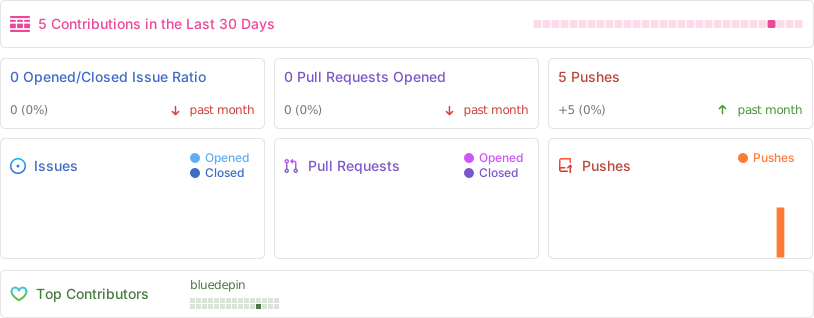
If you want a complete reference implementation with these exact files, see github.com/<your-handle>/rag-llamaindex-qdrant-docker. The repo mirrors this post step for step.
Repo activity
Licence and credits
The code in this tutorial is released under the MIT License (see LICENSE-CODE). The prose and instructional content are licensed under Creative Commons Attribution 4.0 International (see LICENSE-PROSE). Authored by Alec Silva Couto, 2026. Contributions and corrections welcome via the repository linked above.