Add Infisical to Your Python App with the SDK
Self-Hosted or Cloud — Fetch secrets at runtime via the Python SDK with Universal Auth.
What you’ll build
The SDK integration creates a direct bridge between a Python application and the Infisical secret management platform. The application requests sensitive values directly from the Infisical API during initialization or at runtime. Local environment files become obsolete. This architecture ensures that plaintext credentials never touch the local filesystem.
You will transform a standard Python application that relies on .env files into a secure, production-ready system. The application boots, authenticates with Infisical using a machine identity, and pulls only the secrets it needs for the current environment. This prevents secret leakage in development and simplifies credential rotation in production.
Data flow:
App → InfisicalSDKClient → Infisical (Cloud or self-hosted) → secrets at runtime
By the end of this tutorial, your application will no longer contain hardcoded keys or local configuration files. You will have a reusable secrets.py module that handles authentication, caching, and retrieval. This module serves as a blueprint for all future Python projects in your stack.
Before you start
System preparation requires specific software versions to ensure compatibility with the Infisical Python SDK and Universal Auth protocols. Docker handles the infrastructure for self-hosted instances. Python provides the execution environment for the tutorial scripts. Git manages the source code. A Linux or macOS environment facilitates the shell commands shown throughout.
Ensure your machine meets these requirements before continuing:
- Docker >= 24.0:
docker --version— install at docs.docker.com/get-docker - Docker Compose >= 2.20:
docker compose version— install at docs.docker.com/compose/install - Python >= 3.12:
python3 --version— install at python.org/downloads - Git >= 2.40:
git --version - Free RAM/Disk: ~1.5 GB minimum for the self-hosted Infisical stack
macOS and Linux are the supported host platforms. Windows users must work inside a WSL2 instance; native Windows terminal compatibility is not guaranteed.
Verify: python3 --version returns Python 3.12 or higher.
Pick: Infisical Cloud or self-hosted
Deployment strategy depends on security requirements and infrastructure preferences for the project. Infisical Cloud offers the fastest path to a working integration with zero infrastructure maintenance. Self-hosted instances provide total data sovereignty within a private network. Both options fully support the Python SDK and Universal Auth machine identities.
| Feature | Infisical Cloud | Self-Hosted |
|---|---|---|
| Setup Time | < 2 minutes | ~15 minutes |
| Monthly Cost | Free tier available | Cost of your VPS/server |
| Auditability | Full audit logs in UI | Logs stored on your infra |
| Network Exit | Public internet required | Runs in air-gapped VPC |
For a first-time SDK integration, Infisical Cloud is the recommended path. It removes the overhead of managing database backups and security patches while exposing exactly the same SDK interface. Migration to a self-hosted instance later requires only changing the INFISICAL_HOST environment variable and restarting the process.
Step 1 — Set up your Infisical instance
Establishing a functional Infisical instance is the foundation of the secret management workflow. The Cloud option uses the managed service maintained by the Infisical team. The self-hosted path deploys a Docker Compose stack with Postgres and Redis alongside the Infisical container. Both paths end with a project dashboard ready for secret configuration.
Sub-path A: Infisical Cloud
- Navigate to app.infisical.com and sign up for an account.
- Create a new Organization (for example, “My Home Lab”).
- Create a new Project named
my-rag. - Open Project Settings and copy the Project ID — you will need it later as
INFISICAL_PROJECT_ID.
Sub-path B: Self-Hosted
Save the following as docker-compose.yml in an empty directory:
version: "3.8"

services:
  db:
    image: postgres:15-alpine
    environment:
      POSTGRES_USER: infisical
      POSTGRES_PASSWORD: password
      POSTGRES_DB: infisical
    volumes:
      - postgres_data:/var/lib/postgresql/data

  redis:
    image: redis:7-alpine
    volumes:
      - redis_data:/data

  infisical:
    image: infisical/infisical:v0.159.22
    ports:
      - "8080:8080"
    environment:
      - ENCRYPTION_KEY=${ENCRYPTION_KEY}
      - ROOT_ENCRYPTION_KEY=${ROOT_ENCRYPTION_KEY}
      - DB_CONNECTION_URI=postgresql://infisical:password@db:5432/infisical
      - REDIS_URL=redis://redis:6379
      - SITE_URL=http://localhost:8080
      - AUTH_SECRET=${AUTH_SECRET}
    depends_on:
      - db
      - redis

volumes:
  postgres_data:
  redis_data:
Verify the latest patch tag at hub.docker.com/r/infisical/infisical/tags before deploying. Always pin to a specific patch tag in production to avoid breaking changes from upstream updates.
Generate required secrets and start the stack:
export ENCRYPTION_KEY=$(openssl rand -hex 16) && export ROOT_ENCRYPTION_KEY=$(openssl rand -hex 16) && export AUTH_SECRET=$(openssl rand -hex 16) && docker compose up -d
Wait about 30 seconds for Postgres to finish its initial schema migration before opening the UI.
Convergence point
Both sub-paths converge here: you now have a project URL and an admin login. Complete the first-run setup wizard (create your admin account, set up your organization), then create a project named my-rag and copy the Project ID from Project Settings. Keep the Project ID in your terminal session — it becomes the INFISICAL_PROJECT_ID bootstrap variable in Step 6.
Verify: curl -s http://localhost:8080/api/v1/health returns {"status":"ok"} (self-hosted path only).
Step 2 — Create a Universal Auth machine identity
Universal Auth provides a secure mechanism for machine-to-machine authentication without human credentials. The identity acts as a service account with scoped permissions inside the Infisical project. Generating a Client ID and Client Secret allows the Python SDK to verify its identity programmatically. Fine-grained path access restricts the identity to the /openai-rag tree only.
Follow these steps in the Infisical dashboard:
- Open your
my-ragproject. - Click Access Control in the left sidebar.
- Select the Identities tab.
- Click Create Identity, set the Name to
rag-sdk-identity, and click Create. - On the identity page, go to Universal Auth and click Configure.
- Under Trusted IPs, add your machine’s IP or
0.0.0.0/0for local testing. Restrict this to specific IPs in production. - Click Save.
Now grant the identity access to your secrets:
- Go to Project Access Control → Identities.
- Click Add Identity, select
rag-sdk-identity. - Set environment to
dev, path to/openai-rag, and permission toread. - Click Save.
Restricting the path to /openai-rag means the identity cannot read secrets stored at /, /production, or any other path in the project. This limits the blast radius if the Client Secret is ever exposed.
Generate credentials:
- On the identity’s Universal Auth tab, click Create Client Secret.
- Copy both the Client ID and the Client Secret.
- The Client Secret is shown only once. Save it immediately in a password manager or use it directly as an environment variable.
These two values become INFISICAL_CLIENT_ID and INFISICAL_CLIENT_SECRET in subsequent steps.
Verify: The Client ID is a UUID-formatted string such as 3fa85f64-5717-4562-b3fc-2c963f66afa6.
Step 3 — Add your secrets to the project
Centralizing secrets within the Infisical dashboard replaces scattered configuration files with a single authoritative store. The secret tree organizes variables into environments and path hierarchies for logical separation. Adding the OpenAI and Qdrant credentials to the dev environment prepares them for retrieval by the Python SDK. Infisical encrypts every value before persisting it in the database.
Log in to the Infisical UI and perform the following:
- Navigate to Secrets in your
my-ragproject. - Select the
devenvironment from the environment switcher at the top. - Navigate to or create the folder
/openai-ragusing the path breadcrumb. - Click Add Secret for each of the following key/value pairs:
| Key | Example Value |
|---|---|
OPENAI_API_KEY |
sk-proj-... |
OPENAI_EMBED_MODEL |
text-embedding-3-large |
OPENAI_LLM_MODEL |
gpt-4o-mini |
QDRANT_URL |
http://localhost:6333 |
Each secret is versioned automatically. If a value is accidentally overwritten or deleted, the Point-in-Time Recovery feature in Project Settings allows you to restore the /openai-rag path to any previous state.
Adding the secrets at /openai-rag rather than at the project root (/) is deliberate: the machine identity created in Step 2 only has read access to that path. Storing secrets elsewhere in the project and calling list_secrets with secret_path="/" would return an empty array — or a 403 — because the identity has no permission at the root.
Verify: The Infisical UI shows 4 secrets listed under /openai-rag in the dev environment.
Step 4 — Install the Python SDK
The Infisical Python SDK provides high-level abstractions for Universal Auth and secret retrieval. Installation through the Python package manager prepares the virtual environment for the tutorial helper module. The package name on PyPI uses no hyphen or underscore separator. Version pinning ensures consistent behavior across all development machines on the project.
Create a clean virtual environment and install the SDK:
python3 -m venv .venv
source .venv/bin/activate
pip install infisicalsdk==1.0.16
Why this matters: package name is
infisicalsdknotinfisical-sdk. Runningpip install infisical-sdkfails with “No matching distribution found for infisical-sdk” because the hyphenated name does not exist on PyPI. This is the most common first-time error when developers search for the package by intuition.
The SDK depends on httpx for HTTP transport, pydantic for response validation, and cryptography for client-side operations. All three are installed automatically. To verify the installed version independently of import behavior:
pip show infisicalsdk | grep Version
Installing inside a virtual environment prevents dependency conflicts with other Python projects on the same machine.
Verify: pip show infisicalsdk | grep Version returns Version: 1.0.10.
Step 5 — Write a secrets.py helper
A dedicated helper module abstracts the SDK calls from application logic and centralizes the authentication state in one place. The lru_cache decorator ensures that the Infisical client authenticates exactly once per process lifetime. A second cache layer stores individual secret values to avoid redundant network requests. The resulting interface exposes a single get(name) function that callers treat like a dictionary lookup.
Save the following as secrets.py in your project root:
import os
from functools import lru_cache
from infisicalsdk import InfisicalSDKClient

_PROJECT_ID = os.environ["INFISICAL_PROJECT_ID"]
_PATH = os.environ.get("INFISICAL_PATH", "/openai-rag")
_ENV = os.environ.get("INFISICAL_ENV", "dev")
_HOST = os.environ.get("INFISICAL_HOST", "https://app.infisical.com")

@lru_cache(maxsize=1)
def _client() -> InfisicalSDKClient:
    client = InfisicalSDKClient(host=_HOST)
    client.auth.universal_auth.login(
        client_id=os.environ["INFISICAL_CLIENT_ID"],
        client_secret=os.environ["INFISICAL_CLIENT_SECRET"],
    )
    return client

@lru_cache(maxsize=128)
def get(name: str) -> str:
    resp = _client().secrets.get_secret_by_name(
        secret_name=name,
        project_id=_PROJECT_ID,
        environment_slug=_ENV,
        secret_path=_PATH,
    )
    return resp.secretValue

def list_all() -> dict[str, str]:
    resp = _client().secrets.list_secrets(
        project_id=_PROJECT_ID,
        environment_slug=_ENV,
        secret_path=_PATH,
    )
    return {s.secretKey: s.secretValue for s in resp.secrets}
Technical Walkthrough
One client per process. _client is wrapped in lru_cache(maxsize=1). The first call performs the Universal Auth login and returns a live InfisicalSDKClient instance. Every subsequent call within the same process returns the cached instance without touching the network. This keeps startup latency low and avoids unnecessary token issuance.
One fetch per name. get() uses lru_cache(maxsize=128). The first call for a given name makes a network round-trip to Infisical and caches the result. The 128-slot cache is large enough for most single-service applications. For secrets that rotate frequently, call get.cache_clear() before re-fetching.
The host= kwarg is mandatory. InfisicalSDKClient(host=_HOST) is required — the constructor takes host as a required positional parameter and calling InfisicalSDKClient() with no arguments raises TypeError. Cloud users leave INFISICAL_HOST unset and the helper defaults _HOST to https://app.infisical.com, which is always passed to the constructor. Self-hosted users set INFISICAL_HOST=http://localhost:8080 (or their server URL) before running.
Login returns nothing observable. client.auth.universal_auth.login() does not return a token object to the caller. Success is implicit: the client stores the token internally and attaches it to all subsequent requests. Failure raises InfisicalError. No return-value check is needed.
Path scoping prevents over-fetching. The secret_path="/openai-rag" argument in both get_secret_by_name and list_secrets restricts results to that path. A machine identity scoped to /openai-rag will receive a 403 if the code passes secret_path="/". This enforces the Principle of Least Privilege at the SDK call level.
Bootstrap variables never carry secrets. INFISICAL_CLIENT_ID and INFISICAL_CLIENT_SECRET are identity credentials, not application secrets. They bootstrap the authentication session. The actual secrets — API keys, database URLs — never appear in environment variables; they live exclusively in Infisical and are loaded into memory on demand.
Avoid exposing INFISICAL_CLIENT_SECRET via /proc/<pid>/environ. In containerized services, use Docker Compose secrets: with file mounts and open the file directly rather than setting the value in an environment variable. This prevents exposure to other processes sharing the same host.
Verify: python3 -c "import os; os.environ['INFISICAL_PROJECT_ID']='test'; os.environ['INFISICAL_CLIENT_ID']='id'; os.environ['INFISICAL_CLIENT_SECRET']='sec'; import importlib.util, sys; spec=importlib.util.spec_from_file_location('sec', 'secrets.py'); m=importlib.util.module_from_spec(spec); spec.loader.exec_module(m); print(m._HOST)" prints https://app.infisical.com.
Step 6 — Use it from your app
Integrating the helper module into the application entry point finalizes the transition to dynamic secret management. The application imports secrets.get to access configuration values at runtime instead of reading a local file. Bootstrap environment variables supply the identity credentials required for the initial login. Application secrets remain in Infisical until the moment the running process needs them.
Create app.py:
from secrets import get as secret

def main() -> None:
    api_key = secret("OPENAI_API_KEY")
    masked = f"{api_key[:8]}...{api_key[-4:]}" if len(api_key) > 12 else "***"
    print(f"OPENAI_API_KEY  : {masked}")
    print(f"OPENAI_LLM_MODEL: {secret('OPENAI_LLM_MODEL')}")
    print(f"QDRANT_URL      : {secret('QDRANT_URL')}")

if __name__ == "__main__":
    main()
Bootstrap variables needed to run the app. For Infisical Cloud:
INFISICAL_CLIENT_ID=... INFISICAL_CLIENT_SECRET=... INFISICAL_PROJECT_ID=... python app.py
For a self-hosted instance, add INFISICAL_HOST:
INFISICAL_CLIENT_ID=... INFISICAL_CLIENT_SECRET=... INFISICAL_PROJECT_ID=... INFISICAL_HOST=http://localhost:8080 python app.py
The three required variables are:
| Variable | Where to find it |
|---|---|
INFISICAL_CLIENT_ID |
Copied in Step 2 |
INFISICAL_CLIENT_SECRET |
Copied in Step 2 |
INFISICAL_PROJECT_ID |
Project Settings in Infisical UI |
The optional INFISICAL_PATH variable defaults to /openai-rag. Set it to a different value if your project uses a different folder structure. The optional INFISICAL_ENV variable defaults to dev. Set it to staging or production when deploying to those environments.
Secret values only exist in memory during the process lifetime. Nothing hits the disk. If the application crashes, the in-memory values are cleared automatically.
Verify: Running the command above prints the masked API key and the model name without reading any local .env file.
Step 7 — Apply the SDK to the RAG stack from post #1
Migrating the RAG ingestion script from os.getenv calls to secrets.get removes the last dependency on a local .env file. The script gains the same authentication and caching guarantees that all other services in the stack now share. Centralizing the API keys simplifies credential rotation: update the value once in Infisical and every downstream service picks it up on its next fetch. No script edits are required at rotation time.
The RAG tutorial at github.com/bluedepin/rag-llamaindex-qdrant-docker ships a scripts/ingest.py that reads configuration via os.getenv:
Before (scripts/ingest.py — original pattern)
import os

QDRANT_URL = os.getenv("QDRANT_URL", "http://qdrant:6333")

def configure_settings() -> None:
    if os.getenv("OPENAI_API_KEY"):
        from llama_index.embeddings.openai import OpenAIEmbedding
        from llama_index.llms.openai import OpenAI
        Settings.embed_model = OpenAIEmbedding(model=os.getenv("OPENAI_EMBED_MODEL", "text-embedding-3-large"))
        Settings.llm = OpenAI(model=os.getenv("OPENAI_LLM_MODEL", "gpt-4o-mini"))
        return
After (scripts/ingest.py — Infisical SDK pattern)
from secrets import get as secret

QDRANT_URL = secret("QDRANT_URL")

def configure_settings() -> None:
    openai_key = secret("OPENAI_API_KEY")
    if openai_key:
        from llama_index.embeddings.openai import OpenAIEmbedding
        from llama_index.llms.openai import OpenAI
        Settings.embed_model = OpenAIEmbedding(model=secret("OPENAI_EMBED_MODEL"))
        Settings.llm = OpenAI(model=secret("OPENAI_LLM_MODEL"), api_key=openai_key)
        return
Migration Steps
- Copy
secrets.pyfrom the previous section intorag-llamaindex-qdrant-docker/scripts/. - Apply the before/after substitution shown above to
scripts/ingest.pyandscripts/query.py. - Delete the local
.envfile to prevent the application from falling back to plaintext:
rm rag-llamaindex-qdrant-docker/.env
- Confirm that
OPENAI_API_KEY,OPENAI_EMBED_MODEL,OPENAI_LLM_MODEL, andQDRANT_URLare all present in Infisical under/openai-ragin thedevenvironment (done in Step 3). - Run the ingestion script with the bootstrap variables:
INFISICAL_CLIENT_ID=... INFISICAL_CLIENT_SECRET=... INFISICAL_PROJECT_ID=... python scripts/ingest.py
The script will authenticate, pull the four secrets from Infisical, configure LlamaIndex, and proceed with ingestion. No .env file is read at any point.
Verify: Running the ingestion command above prints no .env loading warnings and begins indexing documents without errors.
Step 8 — Long-running services and token renewal
Universal Auth tokens expire after a default TTL of 7200 seconds (two hours). A process running longer than this limit — a web server, a continuous ingestion daemon, a scheduled job with a long payload — will receive an authentication error on the next Infisical API call. Two renewal patterns cover the common cases. Choosing between them depends on the service’s tolerance for transient latency versus the cost of managing a background thread.
Pattern 1: Lazy Re-authentication (Recommended for Batch Jobs)
On an auth failure, clear the LRU cache and re-login immediately. The calling function retries automatically after the cache is refreshed.
from infisicalsdk import InfisicalError

def safe_get(name: str) -> str:
    try:
        return get(name)
    except InfisicalError as exc:
        if "Unauthorized" in str(exc) or "401" in str(exc):
            _client.cache_clear()
            get.cache_clear()
            return get(name)
        raise
This approach adds one retry per token expiry event. For batch jobs that run for a few hours, the cost is a single extra network round-trip every two hours.
Pattern 2: Background Renewal Heartbeat (Recommended for Daemons)
Start a daemon thread that re-calls .login() on the cached client before the token expires.
import threading
import time
import logging

def _renewal_loop(interval: int = 3600) -> None:
    """Re-login every `interval` seconds to keep the token fresh."""
    while True:
        time.sleep(interval)
        try:
            _client().auth.universal_auth.login(
                client_id=os.environ["INFISICAL_CLIENT_ID"],
                client_secret=os.environ["INFISICAL_CLIENT_SECRET"],
            )
        except Exception:
            logging.exception("Infisical token renewal failed — will retry next cycle")

def start_renewal_thread(interval: int = 3600) -> threading.Thread:
    t = threading.Thread(target=_renewal_loop, args=(interval,), daemon=True)
    t.start()
    return t
Call start_renewal_thread() once during application startup. The thread runs silently in the background. Setting daemon=True ensures the thread does not prevent the main process from exiting cleanly.
Trade-offs. The lazy pattern is simpler and requires no startup plumbing, but it introduces a latency spike at token expiry time. The heartbeat pattern eliminates that spike but adds thread management overhead. For most batch ingestion jobs, the lazy pattern is sufficient. For web servers handling real-time requests where a sudden two-second authentication pause is unacceptable, use the heartbeat.
Verify: python3 -c "from infisicalsdk import InfisicalSDKClient; print(type(InfisicalSDKClient))" prints <class 'type'>.
Troubleshooting
pip install infisical-sdk fails: No matching distribution
The PyPI package name is infisicalsdk — no hyphen, no underscore. The name infisical-sdk does not exist on PyPI. Replace pip install infisical-sdk with pip install infisicalsdk==1.0.16 to resolve the error immediately. See docs/troubleshooting.md.
InfisicalError Token expired during long ingestion
Universal Auth tokens have a default TTL of 7200 seconds (configurable per machine identity in the Infisical UI). A long ingestion job that exceeds this window will raise InfisicalError with an “Unauthorized” message. Implement Pattern 1 or Pattern 2 from Step 8, or increase the TTL on the machine identity’s Universal Auth configuration in the Infisical UI. See docs/troubleshooting.md.
Self-hosted: SSL: CERTIFICATE_VERIFY_FAILED
The SDK’s HTTP client enforces TLS certificate verification by default. If the self-hosted instance uses a self-signed certificate, either add the CA certificate to the system trust store (sudo cp ca.crt /usr/local/share/ca-certificates/ && sudo update-ca-certificates on Debian/Ubuntu) or switch the INFISICAL_HOST to use plain http:// for local development only. Do not disable TLS verification in production. See docs/troubleshooting.md.
list_secrets returns empty array
The most common cause is a path mismatch. The secret_path value must exactly match the folder path in the UI, including the leading slash (use /openai-rag, not openai-rag). A second common cause is an environment mismatch: confirm that INFISICAL_ENV is set to dev if the secrets were created in the dev environment. See docs/troubleshooting.md.
Universal Auth login returns 401 unauthorized
Verify that the Client ID and Client Secret were copied correctly and belong to the same machine identity. If the identity has Trusted IPs enabled, ensure the IP address of the machine running the SDK is on the allowlist. A stale Client Secret (one that was rotated in the UI without updating the environment variable) is also a common cause. See docs/troubleshooting.md.
Where to go next
Prefer injecting secrets via shell commands without modifying your Python source code at all? The Infisical CLI wraps any subprocess and injects the resolved secrets as environment variables. The application reads them with os.getenv as usual, with zero SDK dependency. This is the right approach when patching source code is not an option.
Building a multi-agent or tool-use system and need a standardized interface for secret retrieval? A Model Context Protocol server sitting in front of the Infisical instance exposes get_secret and list_secrets as MCP tool calls. Any MCP-compatible agent framework can then request secrets without holding the SDK credentials directly.
New to the series and want to build the RAG stack that this tutorial extends from scratch?
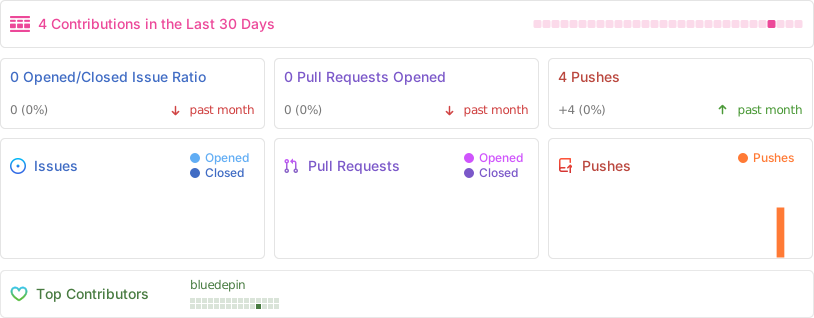
Repo activity
Licence and credits
Licence: MIT for code (see LICENSE-CODE), CC-BY-4.0 for prose (see LICENSE-PROSE). By Alec Silva Couto, 2026.